Edit your site from anywhere. No RapidWeaver Elements needed.
Official CMS for RapidWeaver
Manage your RapidWeaver Elements site content from any browser. Write, edit, upload, and publish — without touching a file or opening RapidWeaver Elements.
Manage your RapidWeaver Elements site content from any browser. Write, edit, upload, and publish — without touching a file or opening RapidWeaver Elements.
Write, edit, upload, and publish your RapidWeaver Elements site content from any browser — no files, no FTP, no Elements needed.
Create new posts, edit content, remove files, and upload resources for free with the Elements CMS Online Editor.
Create, edit, and delete posts from any browser
Visual WYSIWYG editor — no Markdown knowledge needed
Update titles, dates, tags, authors, and metadata
Preview content before it goes live
Secure, password-protected login
Works on desktop, tablet, and mobile
Free for every RapidWeaver Elements site
WYSIWYG Editor
Write and format content visually, no Markdown knowledge needed
Manage Content
Create, edit, and delete posts and pages from any browser
Upload Resources
Add images, PDFs, and videos directly from the editor
Edit Metadata
Update titles, dates, tags, authors, and custom frontmatter fields
Live Preview
See how your content looks before saving
Works Everywhere
Fully functional on desktop, tablet, and mobile
Secure by default
Password-protected login, no public access to your editor
Multi-language Admin
Manage content in your language
Pro adds the power and control you need when sites get serious.
Unlimited Folders
Organise content across as many folders as your site needs
Version History
Every edit is saved — roll back to any previous version instantly
User Management
Add editors, assign roles, and control who can access what
Custom Frontmatter
Define your own metadata fields to match your content structure
MCP Server
Let Claude, ChatGPT, and other AI assistants work directly with your content.
Writing Assistant
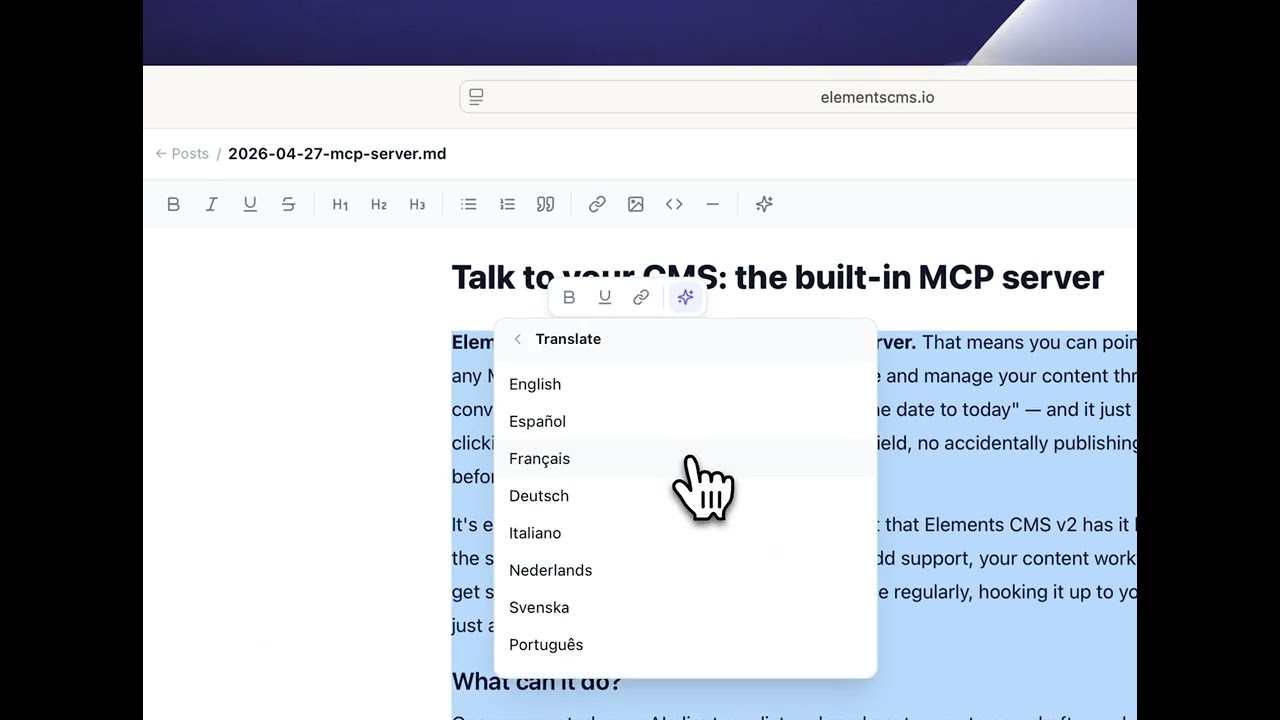
AI assistant in your CMS. No tab-switching, no pasting in and out of ChatGPT.
Whitelabel Theming
Brand the editor with your own logo and colours for client sites
Resource Resizing
Resize and optimise images directly in the editor
Webhooks
Trigger automated workflows when content is published or updated
Sub-folder Support
Organise content and resources into nested folder structures
Premium Fields
Advanced field types including selects, toggles, and date pickers
Tell an agent to write a launch post, retitle every product page, or pull together a case study from your last six blog entries — it reads and writes straight to your site.
No exports, no glue code, no copy-paste.

Highlight any text and pick an action: tighten the prose, change the tone, fix grammar, translate into 30+ languages, or turn a one-line brief into a full paragraph.
Your AI co-writer lives where you write — no tab-switching, no pasting in and out of ChatGPT.
Unlimited folders, users, and content — plus version history, webhooks, and whitelabel theming. Everything you need to manage client sites at scale, for $99.
Upgrade Now
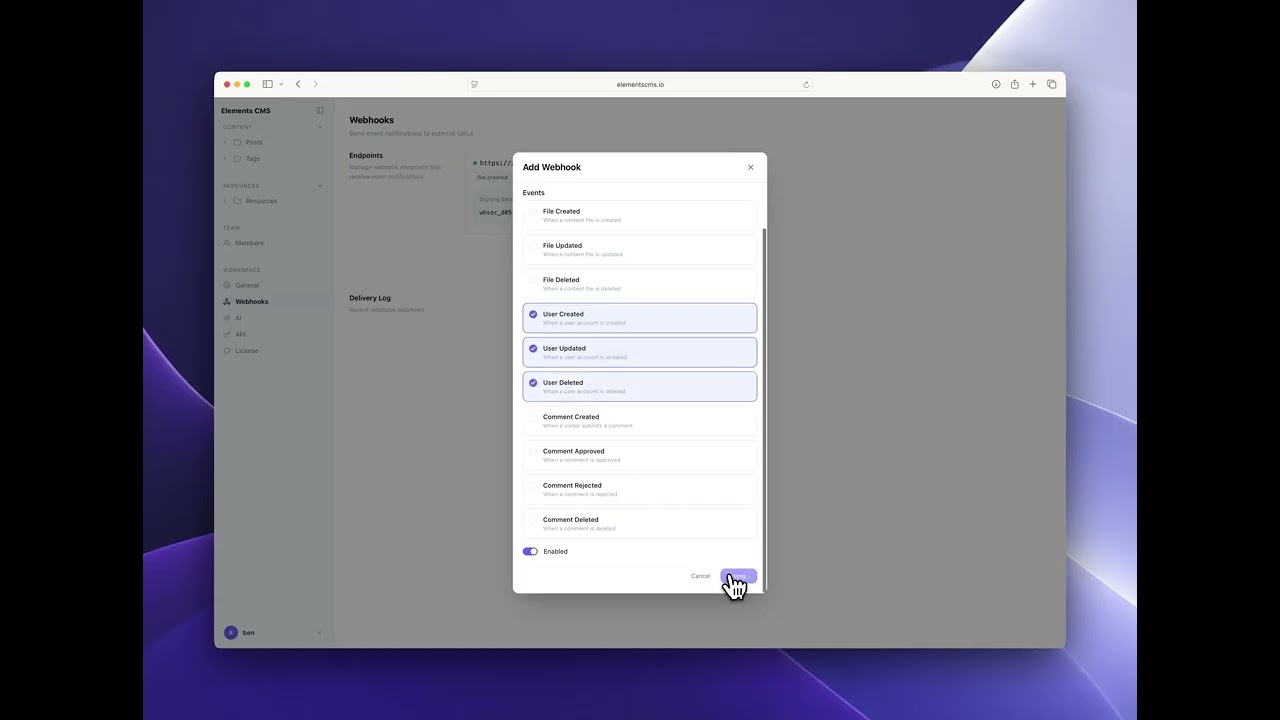
When you save or publish content in the Online Editor, webhooks fire instantly — triggering rebuilds, notifications, or any automation your workflow needs.
Connect to Zapier, Make, or call your own endpoint directly. No polling, no manual steps, no delay.
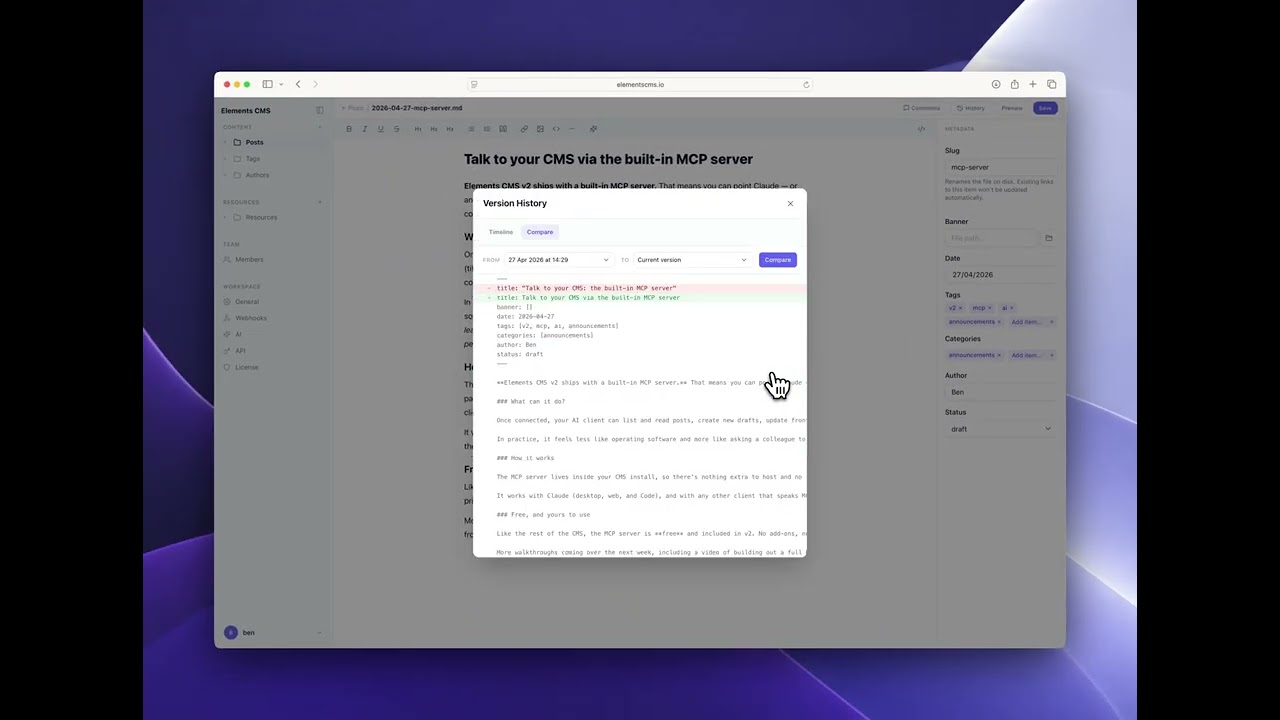
Every time you save, Elements CMS quietly stores a snapshot. Made a mistake? Deleted something by accident? Roll back to any previous version in one click — no developer needed, no files to dig through on the server.
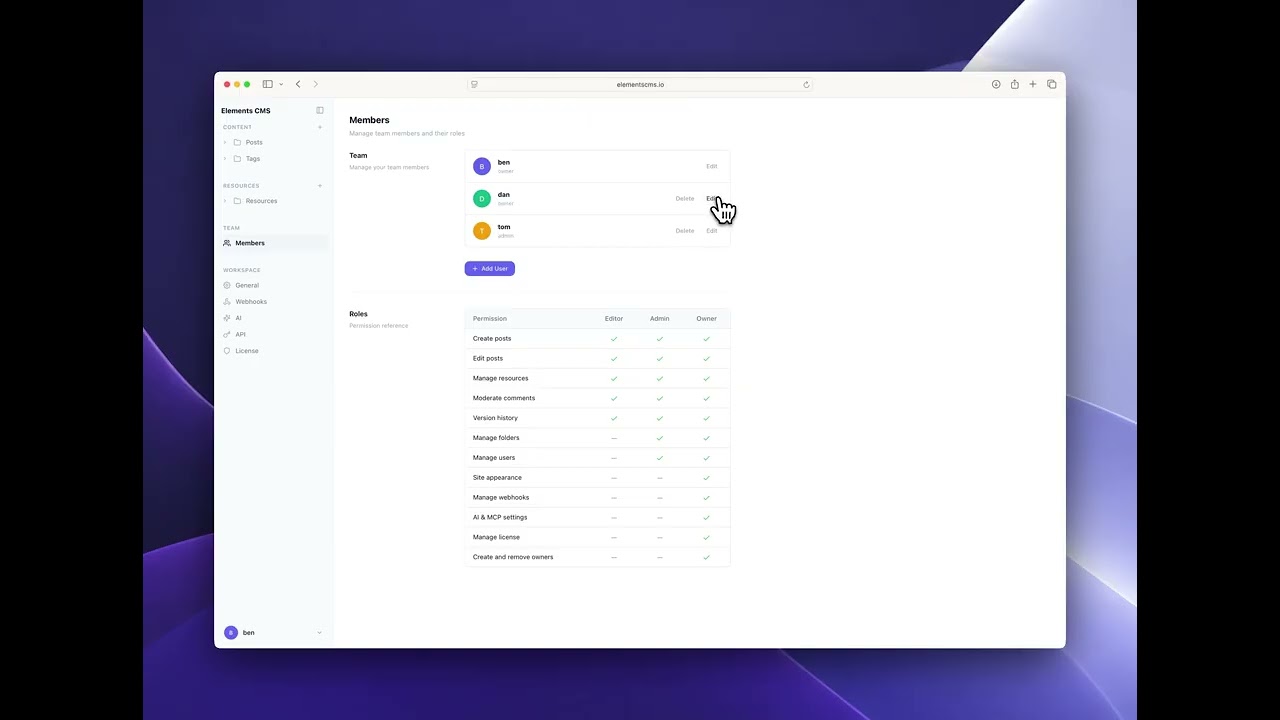
Create unlimited editor accounts and assign roles to control what each person can see and do. Set yourself up as admin, give your client an editor account with access to their content folder only. Clean, simple, and safe.
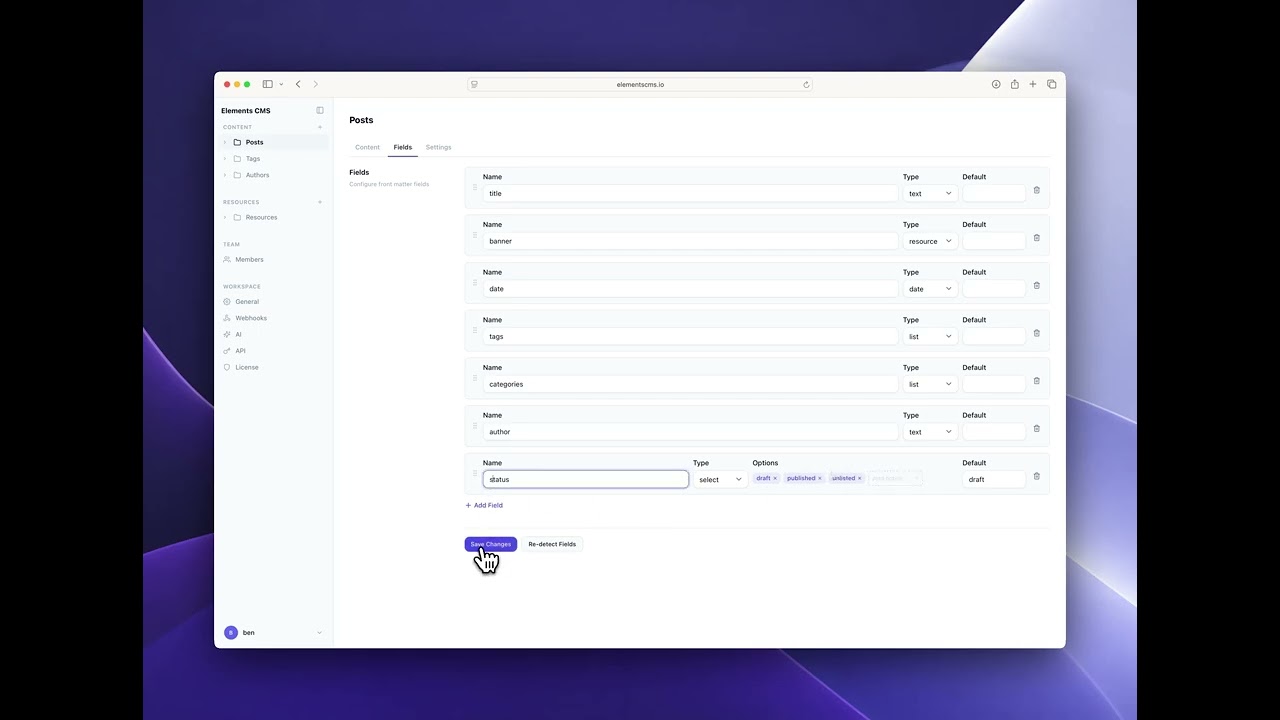
Out of the box, Elements CMS handles titles, dates, tags, and authors. With Pro, you define your own fields — a rating for reviews, a project type for portfolios, a featured flag for homepage content. Any field you need, presented cleanly in the editor.
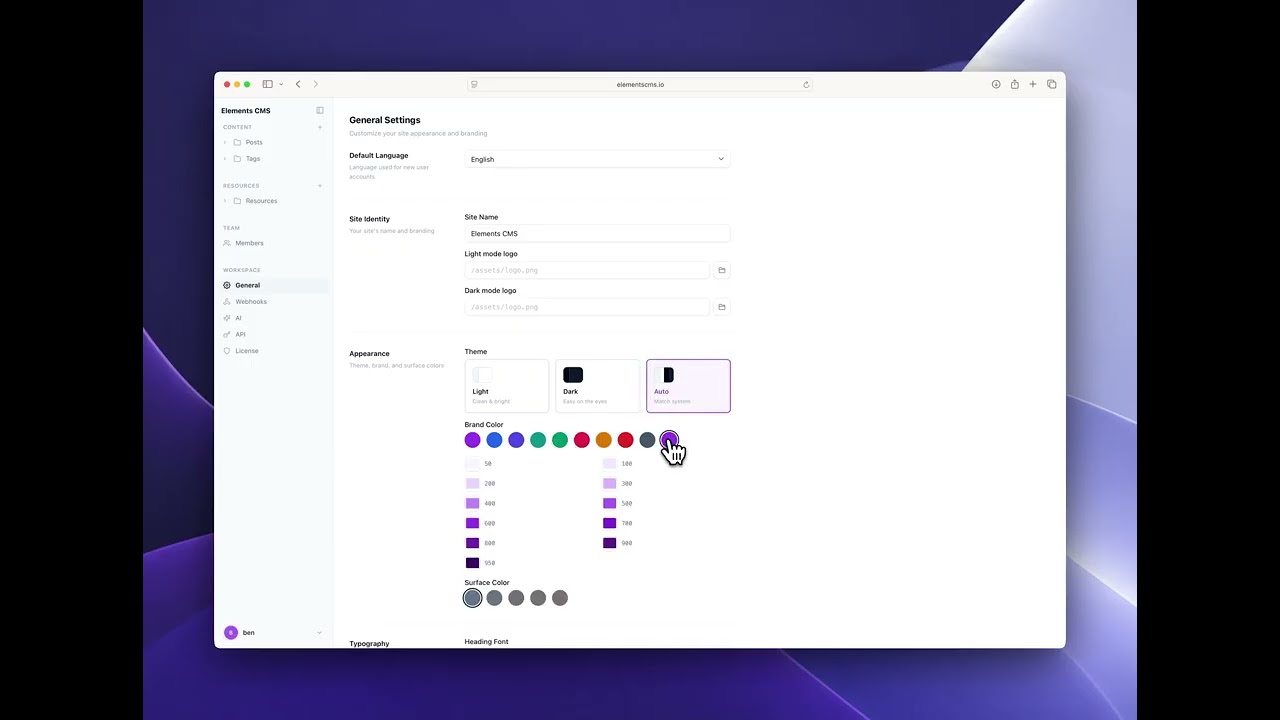
Replace the Elements CMS branding with your own logo, colours, and domain. Your clients get a clean, professional content editor — they never need to know what's powering it. Perfect for agencies building and maintaining multiple client sites.
v2 brings AI features, an online editor, and new components. Be the first to know when we launch by signing up to our spam free newsletter.
Design and manage content locally in Elements for free. Add the Online Editor when you're ready to manage content from the browser.
$0
Frontend components for Elements
New live Search component
WYSIWYG Editor
One Content Folder
One Resources Folder
One User
$199
$99
Unlimited users and roles
Unlimited content folders
AI Writing Assistant
MCP for integration with Claude, Codex, and more.
Version history & rollback
Advanced field types
Custom frontmatter fields
Whitelabel theming
Webhooks
JSON API
Build and design locally in RapidWeaver Elements for free. Add the Online Editor when you want to manage content from any browser.
Free
Pro
WYSIWYG Markdown editor
Resource uploading
Content folders
One
Unlimited
Resource folders
One
Unlimited
User accounts and roles
One
Unlimited
Sub folder support
Version History and rollback
Custom frontmatter fields
Resource resizing
Premium form fields
Whitelabel theming
MCP Server
AI Writing assistant
Webhooks
JSON API
Use on sub-domains